Skip to content

Rev up your passion for Pontiacs and join our vibrant community of enthusiasts!

Whether you're a die-hard fan of classic muscle cars or you've got a soft spot for sleek modern models, you've found your home here at Forever Pontiac. Our community is dedicated to celebrating everything Pontiac, from the iconic GTO to the legendary Firebird and everything in between.

Unlock access to expert advice, stunning photo galleries, engaging discussions, exclusive events, and more!

Start your Pontiac journey with us today!

Sign up now! 🏁

Wednesday Evening Car meet
Featured Replies

  • Popular Post

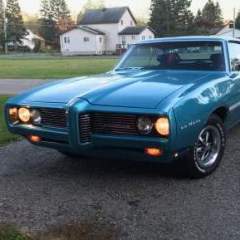
A few Wednesdays ago we found out about a car meet that apparently happens every Wednesday so long as there's good weather. So this was the first time we brought the car down to that and it was nice, especially with the setting sun.

DSCN0002.JPG

DSCN0006.JPG

DSCN0008.JPG

DSCN0009.JPG

DSCN0012.JPG

DSCN0014.JPG

DSCN0019.JPG

DSCN0020.JPG

DSCN0022.JPG

DSCN0023.JPG

DSCN0026.JPG

DSCN0030.JPG

DSCN0032.JPG

DSCN0035.JPG

DSCN0037.JPG

DSCN0038.JPG

DSCN0043.JPG

DSCN0047.JPG

DSCN0048.JPG

DSCN0052.JPG

DSCN0055.JPG

DSCN0061.JPG

DSCN0062.JPG

Way to join in sharing pic's of your car events! Ya know how much we like pic's!

Tired of these Ads? Register Today!

Create an account or sign in to comment

Recently Browsing 0

  • No registered users viewing this page.
Tired of these Ads? Purchase Enhanced Membership today to remove them!

Account

Navigation

Search

Search

Configure browser push notifications

Chrome (Android)
  1. Tap the lock icon next to the address bar.
  2. Tap Permissions → Notifications.
  3. Adjust your preference.
Chrome (Desktop)
  1. Click the padlock icon in the address bar.
  2. Select Site settings.
  3. Find Notifications and adjust your preference.